Best Managed WordPress Hosting Providers (2026)
Choosing one of the best managed WordPress hosting providers is one of the most important decisions you’ll make for your website. A reliable hosting provider not only improves your site’s speed and security but also handles technical tasks like automatic updates, daily backups, malware protection, and performance optimization. Whether you’re a blogger, small business owner, WooCommerce store owner, or digital agency, managed WordPress hosting can save time while delivering a faster and more secure website.
Unlike traditional shared hosting, managed WordPress hosting is specifically optimized for WordPress websites. Hosting companies fine-tune their servers, caching systems, security settings, and support teams exclusively for WordPress, allowing you to focus on creating content instead of managing server configurations.
In this comprehensive guide, we’ll compare the best managed WordPress hosting providers in 2026 based on pricing, performance, uptime, customer support, WordPress features, scalability, and overall value. By the end of this article, you’ll know exactly which hosting provider is the best fit for your budget and website goals.
If you’re launching your first website and are still exploring your options, check out our detailed guide on Best Web Hosting for Beginners in 2026 before choosing a managed WordPress hosting provider.
Quick Answer
If you’re looking for the best managed WordPress hosting provider in 2026, Hostinger offers the best overall value for beginners and growing websites thanks to its affordable pricing, fast LiteSpeed servers, free SSL, automatic backups, and beginner-friendly dashboard.
For premium business websites, Kinsta and WP Engine deliver enterprise-level performance, while Cloudways is an excellent choice for developers and users who need greater flexibility.
Quick Comparison Table
| Hosting Provider | Starting Price | Free SSL | Daily Backups | Free Migration | Best For |
| 🥇 Hostinger | $2.99/mo | ✅ | ✅ | ✅ | Beginners |
| 🥈 Cloudways | $11/mo | ✅ | ✅ | ✅ | Developers |
| 🥉 Kinsta | $30/mo | ✅ | ✅ | ✅ | Businesses |
| WP Engine | $25/mo | ✅ | ✅ | ✅ | Agencies |
| SiteGround | $3.99/mo | ✅ | ✅ | ✅ | Small Businesses |
| Rocket.net | $30/mo | ✅ | ✅ | ✅ | Speed |
| DreamHost | $16.95/mo | ✅ | ✅ | ✅ | Bloggers |
| Bluehost | $2.95/mo | ✅ | Limited | Limited | Beginners |
| Pressable | $25/mo | ✅ | ✅ | ✅ | Enterprise |
| Nexcess | $21/mo | ✅ | ✅ | ✅ | WooCommerce |
Our Recommendation: For most users, Hostinger offers the best balance of affordability, speed, security, and ease of use.
What Is Managed WordPress Hosting?
Managed WordPress hosting is a specialized hosting service designed exclusively for WordPress websites. Unlike traditional shared hosting, the hosting provider takes care of most server management tasks, allowing website owners to focus on creating content and growing their business.
Typical managed WordPress hosting plans include:
- Automatic WordPress updates
- Daily website backups
- Built-in caching
- Malware scanning
- Free SSL certificates
- CDN integration
- Expert WordPress support
- Enhanced security
- Performance optimization
Because the hosting environment is optimized specifically for WordPress, websites usually load faster, remain more secure, and require less maintenance than standard shared hosting.
Related Guide: If you’re unsure whether managed hosting is right for you, read our Shared Hosting vs VPS Hosting: Which Is Better? to understand the differences between popular hosting types.
Why Choose Managed WordPress Hosting?
Many website owners start with shared hosting because it’s inexpensive. However, as traffic grows, maintaining a WordPress website becomes increasingly challenging.
Managed WordPress hosting solves many of these problems by offering:
Faster Website Performance
Managed hosting providers use technologies such as:
- LiteSpeed Web Server
- NVMe SSD Storage
- Built-in Caching
- CDN Integration
- Latest PHP Versions
These optimizations significantly reduce page loading times.
Better Security
Most managed WordPress hosts include:
- Free SSL
- Malware Protection
- DDoS Protection
- Web Application Firewall
- Automatic Security Updates
This reduces the risk of hacking and malware infections.
Automatic Backups
Daily backups allow you to restore your website quickly if something goes wrong.
Expert WordPress Support
Unlike generic hosting companies, managed WordPress providers employ specialists who understand WordPress inside and out.
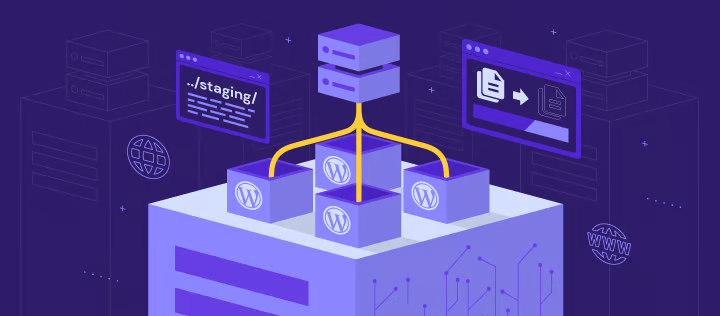
One-Click Staging
Many providers allow you to create a staging environment where you can safely test updates before making them live.
How We Selected the Best Managed WordPress Hosting Providers
To ensure this comparison is accurate and useful, we evaluated each hosting provider based on the following factors:
- Performance and speed
- Uptime reliability
- Pricing and renewal costs
- Security features
- Ease of use
- Customer support
- WordPress optimization
- Scalability
- Overall value for money
1. Hostinger – Best Overall Managed WordPress Hosting
⭐⭐⭐⭐⭐ Overall Rating: 4.9/5
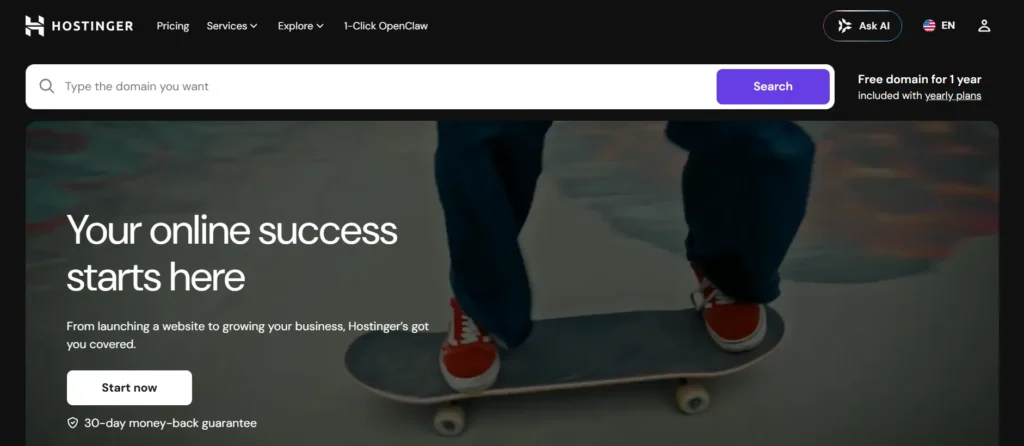
Hostinger continues to be our top recommendation for most website owners in 2026. It combines excellent performance, affordable pricing, and beginner-friendly tools into one complete hosting package.
Although its plans are budget-friendly, Hostinger includes many premium features that competitors often reserve for higher-priced plans. If you are a beginner you can read our helpful blog for How to Buy Hosting from Hostinger
Key Features
- LiteSpeed Web Server
- NVMe SSD Storage
- Free SSL Certificate
- Free Domain (selected plans)
- Automatic WordPress Updates
- Managed WordPress Optimization
- AI Website Builder
- Free Website Migration
- Daily or Weekly Backups
- Malware Scanner
- Built-in CDN
Performance
Hostinger uses LiteSpeed technology, one of the fastest web servers available for WordPress websites.
Combined with:
- LiteSpeed Cache
- Object Cache
- HTTP/3
- Latest PHP
- Global Data Centers
Hostinger consistently delivers excellent page speed and uptime.
Ease of Use
Instead of traditional cPanel, Hostinger uses hPanel, a modern dashboard designed for beginners.
Tasks such as:
- Installing WordPress
- Creating email accounts
- Managing domains
- Setting up SSL
can all be completed with just a few clicks.
Pros
- ✅ Excellent value for money
- ✅ Fast LiteSpeed servers
- ✅ Beginner-friendly dashboard
- ✅ Free SSL
- ✅ Free migration
- ✅ Great uptime
Cons
❌ No phone support
❌ Entry-level plans have some resource limitations
Best For
- New Bloggers
- Affiliate Marketers
- Small Businesses
- Portfolio Websites
- Personal Blogs
- Beginners
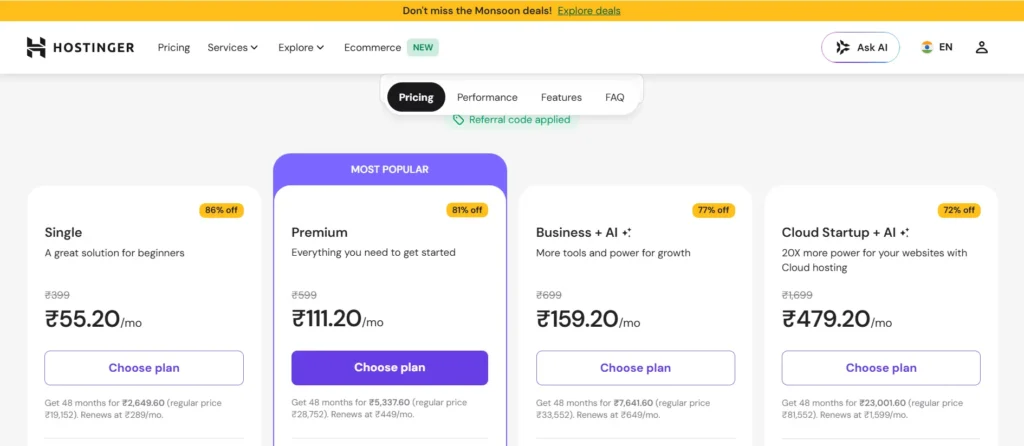
Pricing
Starts around $2.99/month (promotional pricing).
Related Article: Before purchasing, check out our complete Hostinger vs Bluehost comparison to see how Hostinger compares with another popular hosting provider.
2. Cloudways – Best Managed Cloud WordPress Hosting
⭐⭐⭐⭐⭐ Overall Rating: 4.8/5
Cloudways takes a different approach to managed WordPress hosting by allowing users to choose from leading cloud infrastructure providers such as DigitalOcean, Google Cloud, AWS, Vultr, and Linode.
Instead of maintaining physical hosting servers, Cloudways focuses on providing an easy-to-use management platform with premium cloud performance.
This makes it an excellent choice for developers, agencies, WooCommerce stores, and growing businesses.
Key Features
- Managed Cloud Hosting
- Free SSL
- Built-in CDN
- Automatic Backups
- One-Click WordPress Installation
- Dedicated Firewalls
- Staging Environment
- Team Collaboration
- Vertical Scaling
Performance
Cloudways provides excellent speed because each server receives dedicated resources.
Users can also scale server resources whenever website traffic increases.
Pros
- ✅ Outstanding performance
- ✅ Flexible cloud providers
- ✅ Excellent scalability
- ✅ Developer-friendly
- ✅ Strong security
Cons
❌ Higher starting price
❌ Slight learning curve for beginners
Best For
- Agencies
- Developers
- WooCommerce Stores
- High-Traffic Websites
- Growing Businesses
Pricing
Starts around $11/month, depending on the cloud provider selected.
3. Kinsta – Best Premium Managed WordPress Hosting
⭐⭐⭐⭐⭐ Overall Rating: 4.8/5
Kinsta is one of the most respected names in the managed WordPress hosting industry. Built on Google Cloud Platform’s Premium Tier Network, it is designed for businesses, agencies, enterprise websites, and high-traffic blogs that require exceptional speed, scalability, and reliability.
Unlike budget hosting providers, Kinsta focuses exclusively on managed WordPress hosting. Every plan includes enterprise-grade infrastructure, advanced caching, automatic backups, robust security, and a premium support team with deep WordPress expertise.
If performance and uptime are your top priorities, Kinsta is a strong investment.
Key Features
- Google Cloud Premium Network
- Free SSL Certificate
- Cloudflare Enterprise CDN
- Automatic Daily Backups
- Free Premium Website Migration
- Built-in Edge Caching
- Staging Environment
- Malware Removal Guarantee
- Automatic Database Optimization
Performance
Kinsta consistently ranks among the fastest managed WordPress hosts thanks to:
- Google Cloud C2 Machines
- Edge Caching
- Cloudflare Enterprise Integration
- PHP Performance Monitoring
- Automatic Scaling
These technologies help websites load quickly, even during traffic spikes.
Ease of Use
Kinsta replaces cPanel with its custom MyKinsta Dashboard, offering a clean interface for:
- Managing websites
- Viewing analytics
- Creating backups
- Restoring websites
- Monitoring performance
- Deploying staging sites
Pros
- ✅ Excellent page speed
- ✅ Google Cloud infrastructure
- ✅ Premium support
- ✅ Automatic scaling
- ✅ Enterprise security
Cons
❌ Expensive for beginners
❌ Limited to WordPress websites
Best For
- Business Websites
- Agencies
- Enterprise Companies
- Membership Sites
- High-Traffic Blogs
Pricing
Starts at approximately $30/month.
4. WP Engine – Best Managed Hosting for Agencies
⭐⭐⭐⭐⭐ Overall Rating: 4.7/5
WP Engine has been one of the leading managed WordPress hosting providers for more than a decade. It is especially popular among web agencies, professional developers, and businesses managing multiple WordPress websites.
WP Engine emphasizes security, speed, scalability, and premium customer support, making it an excellent option for mission-critical websites.
Key Features
- EverCache Technology
- Global CDN
- Automatic Updates
- Daily Backups
- Free SSL
- One-Click Restore
- Staging Environment
- Local Development Tools
- Smart Plugin Manager
Performance
WP Engine’s proprietary EverCache technology significantly improves loading speeds by intelligently caching website content before it’s delivered to visitors.
Combined with:
- Google Cloud Platform
- Cloudflare Integration
- Latest PHP Versions
WP Engine offers excellent performance for WordPress websites.
Ease of Use
The custom WP Engine dashboard allows users to:
- Manage installations
- Create staging environments
- Restore backups
- Monitor website performance
without requiring advanced technical knowledge.
Pros
- ✅ Premium performance
- ✅ Excellent security
- ✅ Fast customer support
- ✅ Daily backups
- ✅ Developer tools
Cons
❌ Higher pricing
❌ No free domain
Best For
- Agencies
- Freelancers
- Professional Bloggers
- WooCommerce Stores
- Business Websites
Pricing
Starts around $25/month.
5. SiteGround – Best for Small Businesses
⭐⭐⭐⭐⭐ Overall Rating: 4.7/5
SiteGround has earned an excellent reputation for combining premium performance with beginner-friendly features. It offers managed WordPress hosting powered by Google Cloud infrastructure and includes several optimization tools out of the box.
SiteGround is particularly suitable for freelancers, bloggers, and small business owners looking for reliable hosting with excellent customer support.
Key Features
- Google Cloud Infrastructure
- Free SSL
- Daily Backups
- Managed WordPress Updates
- SiteGround Optimizer Plugin
- Built-in Caching
- Free CDN
- Staging Tool
Performance
SiteGround uses:
- Google Cloud Servers
- Ultrafast PHP
- SuperCacher
- Dynamic Caching
- SSD Storage
These technologies deliver consistently fast loading speeds.
Ease of Use
SiteGround’s Site Tools dashboard replaces traditional cPanel with a modern interface that makes it easy to:
- Install WordPress
- Manage Domains
- Configure SSL
- Create Email Accounts
- Restore Backups
Pros
- ✅ Excellent support
- ✅ Reliable uptime
- ✅ Fast servers
- ✅ Google Cloud infrastructure
- ✅ Beginner friendly
Cons
❌ Higher renewal prices
❌ Limited storage on entry plans
Best For
- Bloggers
- Small Businesses
- Portfolio Websites
- Local Businesses
- Professional Websites
Pricing
Starts around $3.99/month.
6. Rocket.net – Fastest Managed WordPress Hosting
⭐⭐⭐⭐⭐ Overall Rating: 4.8/5
Rocket.net has quickly become one of the fastest managed WordPress hosting providers by combining premium cloud hosting with Cloudflare Enterprise technology.
Unlike many hosting companies that require users to configure caching manually, Rocket.net automatically optimizes performance and security from the moment your website goes live.
Its platform is ideal for businesses that prioritize speed and global performance.
Key Features
- Cloudflare Enterprise
- Enterprise CDN
- Automatic Backups
- Free SSL
- Malware Protection
- One-Click Staging
- Free Migration
- Built-in Website Firewall
Performance
Rocket.net is designed for speed.
Performance features include:
- Edge Caching
- Cloudflare Enterprise CDN
- Automatic Image Optimization
- Brotli Compression
- HTTP/3
- Global Edge Network
These technologies significantly reduce page load times worldwide.
Ease of Use
Rocket.net provides a clean dashboard where users can:
- Manage websites
- Create backups
- Configure CDN
- Monitor traffic
- Restore websites
without requiring server management experience.
Pros
- ✅ Exceptional speed
- ✅ Enterprise CDN included
- ✅ Outstanding security
- ✅ Easy setup
- ✅ Excellent customer support
Cons
❌ Premium pricing
❌ Limited entry-level resources
Best For
- WooCommerce Stores
- High-Traffic Blogs
- Membership Sites
- Businesses
- Agencies
Pricing
Starts around $30/month.
Performance Comparison
| Provider | Speed | Ease of Use | Support | Value |
| Hostinger | ⭐⭐⭐⭐⭐ | ⭐⭐⭐⭐⭐ | ⭐⭐⭐⭐☆ | ⭐⭐⭐⭐⭐ |
| Cloudways | ⭐⭐⭐⭐⭐ | ⭐⭐⭐⭐☆ | ⭐⭐⭐⭐☆ | ⭐⭐⭐⭐☆ |
| Kinsta | ⭐⭐⭐⭐⭐ | ⭐⭐⭐⭐⭐ | ⭐⭐⭐⭐⭐ | ⭐⭐⭐⭐☆ |
| WP Engine | ⭐⭐⭐⭐⭐ | ⭐⭐⭐⭐☆ | ⭐⭐⭐⭐⭐ | ⭐⭐⭐⭐☆ |
| SiteGround | ⭐⭐⭐⭐☆ | ⭐⭐⭐⭐⭐ | ⭐⭐⭐⭐⭐ | ⭐⭐⭐⭐☆ |
| Rocket.net | ⭐⭐⭐⭐⭐ | ⭐⭐⭐⭐⭐ | ⭐⭐⭐⭐⭐ | ⭐⭐⭐⭐☆ |
7. DreamHost – Best Managed WordPress Hosting for Bloggers
⭐⭐⭐⭐☆ Overall Rating: 4.6/5
DreamHost has been a trusted name in the web hosting industry for over two decades. It is widely recognized for its beginner-friendly managed WordPress hosting, reliable performance, and affordable pricing. As one of the hosting providers officially recommended by WordPress.org, DreamHost is a great option for bloggers, freelancers, and small businesses.
Its managed WordPress hosting service, DreamPress, is optimized specifically for WordPress websites and includes automatic updates, daily backups, built-in caching, and enhanced security.
Key Features
- Free SSL Certificate
- Unlimited Bandwidth
- Daily Backups
- Automatic WordPress Updates
- Built-in Caching
- Free Website Migration
- 24/7 WordPress Support
- One-Click Staging
- SSD Storage
Performance
DreamHost uses SSD storage, server-side caching, and optimized PHP configurations to deliver reliable website performance. While it may not match enterprise providers like Kinsta or Rocket.net, it performs well for blogs and business websites with moderate traffic.
Pros
- ✅ Officially recommended by WordPress
- ✅ Easy-to-use dashboard
- ✅ Excellent uptime
- ✅ Unlimited bandwidth
- ✅ Strong value for bloggers
Cons
❌ Limited global data centers
❌ Premium features require DreamPress plans
Best For
- Bloggers
- Content Creators
- Small Businesses
- Personal Websites
- Freelancers
Pricing
Starts around $16.95/month for DreamPress Managed WordPress Hosting.
8. Bluehost – Best Managed WordPress Hosting for Beginners
⭐⭐⭐⭐☆ Overall Rating: 4.5/5
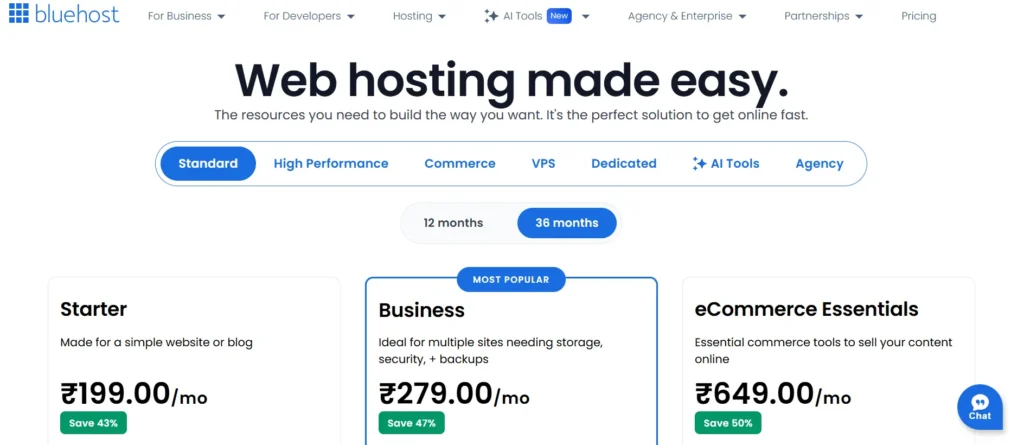
Bluehost remains one of the most recognized hosting brands and is particularly popular among beginners. Its managed WordPress hosting plans include automatic updates, enhanced security, daily backups, and an intuitive dashboard designed to simplify WordPress management.
Although Bluehost primarily targets entry-level users, its managed WordPress plans provide enough features for bloggers, portfolio websites, and growing businesses.
Key Features
- Free Domain (First Year)
- Free SSL Certificate
- Automatic WordPress Updates
- Daily Backups
- Built-in Caching
- Marketing Tools
- Malware Protection
- Staging Environment
Performance
Bluehost offers solid performance with SSD storage, Cloudflare CDN integration, and optimized WordPress servers. While its speed is competitive, it generally trails providers like Hostinger, Rocket.net, and Kinsta in independent performance tests.
Pros
- ✅ Beginner friendly
- ✅ Free domain
- ✅ Strong WordPress integration
- ✅ Phone support available
Cons
❌ Higher renewal pricing
❌ Limited storage on entry-level plans
Best For
- Beginners
- Bloggers
- Portfolio Websites
- Small Business Websites
Pricing
Managed WordPress plans start around $9.95/month.
If you’re comparing these two beginner-friendly providers, read our detailed Hostinger vs Bluehost Comparison (2026).
9. Pressable – Best Managed Hosting for Enterprise Websites
⭐⭐⭐⭐⭐ Overall Rating: 4.8/5
Pressable is a premium managed WordPress hosting company owned by Automattic, the parent company behind WordPress.com and WooCommerce.
Its hosting platform is built specifically for businesses, agencies, enterprise organizations, and WooCommerce stores requiring enterprise-grade performance and security.
Key Features
- Global CDN
- Daily Backups
- Automatic Failover
- Managed Updates
- Free Website Migration
- Staging Environment
- Malware Protection
- Premium WordPress Support
Performance
Pressable uses modern cloud infrastructure combined with server-level caching and CDN integration to ensure fast website loading times across multiple regions.
Pros
- ✅ Enterprise reliability
- ✅ WooCommerce optimized
- ✅ Excellent uptime
- ✅ Premium support
Cons
❌ Premium pricing
❌ Not ideal for hobby websites
Best For
- Agencies
- Enterprise Businesses
- WooCommerce Stores
- Membership Websites
Pricing
Starts around $25/month.
10. Nexcess – Best Managed Hosting for WooCommerce
⭐⭐⭐⭐⭐ Overall Rating: 4.7/5
Nexcess specializes in managed hosting solutions for WordPress, WooCommerce, Magento, and other content management systems. It is particularly well-suited for eCommerce businesses that need advanced performance optimization and reliable uptime.
Key Features
- Automatic Scaling
- Daily Backups
- WooCommerce Optimization
- Built-in CDN
- Free SSL
- Plugin Performance Monitor
- One-Click Staging
Performance
Nexcess automatically scales server resources during traffic spikes, making it a strong choice for online stores and businesses expecting seasonal traffic.
Pros
- ✅ Excellent WooCommerce optimization
- ✅ Automatic scaling
- ✅ Fast support
- ✅ Strong security
Cons
❌ More expensive than shared hosting
❌ Not beginner-focused
Best For
- WooCommerce Stores
- Online Businesses
- Growing eCommerce Brands
Pricing
Starts around $21/month.
Managed WordPress Hosting vs Shared Hosting
| Feature | Managed WordPress Hosting | Shared Hosting |
| Automatic Updates | ✅ Included | ❌ Usually Manual |
| Daily Backups | ✅ Yes | ⚠ Depends on Plan |
| WordPress Optimization | ✅ Fully Optimized | ⚠ Limited |
| Security | ⭐⭐⭐⭐⭐ | ⭐⭐⭐ |
| Performance | ⭐⭐⭐⭐⭐ | ⭐⭐⭐ |
| Expert Support | WordPress Specialists | General Support |
| Best For | Growing Websites | Beginners |
Managed WordPress Hosting vs VPS Hosting
| Feature | Managed WordPress Hosting | VPS Hosting |
| Ease of Use | ⭐⭐⭐⭐⭐ | ⭐⭐⭐ |
| Server Management | Fully Managed | Mostly Self-Managed |
| Performance | Excellent | Excellent |
| Technical Knowledge | Low | Medium–High |
| Security | Managed | User Responsibility |
| Scalability | High | Very High |
| Best For | Businesses & Bloggers | Developers |
Pricing Comparison
| Provider | Starting Price | Free SSL | Daily Backup | Free Migration |
| Hostinger | $2.99/mo | ✅ | ✅ | ✅ |
| Cloudways | $11/mo | ✅ | ✅ | ✅ |
| Kinsta | $30/mo | ✅ | ✅ | ✅ |
| WP Engine | $25/mo | ✅ | ✅ | ✅ |
| SiteGround | $3.99/mo | ✅ | ✅ | ✅ |
| Rocket.net | $30/mo | ✅ | ✅ | ✅ |
| DreamHost | $16.95/mo | ✅ | ✅ | ✅ |
| Bluehost | $9.95/mo | ✅ | ✅ | Limited |
| Pressable | $25/mo | ✅ | ✅ | ✅ |
| Nexcess | $21/mo | ✅ | ✅ | ✅ |
Which Managed WordPress Hosting Provider Should You Choose?
Choose Hostinger if:
- You are starting your first WordPress website.
- You want the best value for money.
- You need a beginner-friendly dashboard.
- You want excellent performance at a low price.
How to Buy Hosting from Hostinger: Best Guide for Beginners
Choose Cloudways if:
- You need cloud hosting.
- You are a developer or agency.
- You expect rapid website growth.
If Choose Kinsta:
- Your business depends on maximum uptime.
- You manage high-traffic websites.
- You need premium support.
Choose Rocket.net if:
- Website speed is your top priority.
- You run an eCommerce store.
- Your audience is global.
Choose Nexcess if:
- You own a WooCommerce store.
- You need automatic server scaling.
Final Verdict
After comparing performance, security, pricing, WordPress features, customer support, and overall value, here are our top recommendations for the best managed WordPress hosting providers in 2026.
🥇 Best Overall – Hostinger ⭐⭐⭐⭐⭐
Hostinger is the best choice for most users because it offers an excellent balance of affordability, speed, security, and ease of use. It includes managed WordPress features such as automatic updates, free SSL, backups, LiteSpeed servers, and a beginner-friendly hPanel.
Best For
- Beginners
- Bloggers
- Affiliate Marketers
- Small Businesses
- Portfolio Websites
👉 Recommended if you want the best value for money.
🥈 Best Premium Choice – Kinsta ⭐⭐⭐⭐⭐
Kinsta is ideal for businesses and high-traffic websites that need premium Google Cloud infrastructure, enterprise-level security, and exceptional customer support.
Best For
- Agencies
- Businesses
- Membership Sites
- Enterprise Websites
🥉 Best Cloud Hosting – Cloudways ⭐⭐⭐⭐⭐
Cloudways provides excellent flexibility by allowing users to deploy WordPress on DigitalOcean, AWS, Google Cloud, Vultr, or Linode.
Best For
- Developers
- Agencies
- WooCommerce Stores
- Growing Websites
Editor’s Choice
| Category | Winner |
| 🏆 Best Overall | Hostinger |
| 💰 Best Budget | Hostinger |
| 🚀 Fastest | Rocket.net |
| ☁ Best Cloud | Cloudways |
| 🛒 Best WooCommerce | Nexcess |
| 🏢 Best Enterprise | Kinsta |
| 👨💻 Best Agency | WP Engine |
| 📝 Best Bloggers | DreamHost |
Buying Guide: How to Choose the Best Managed WordPress Hosting
Selecting the right managed WordPress hosting provider depends on your website’s goals, expected traffic, and budget. Before making a decision, consider the following factors.
1. Website Speed
Choose a provider that offers:
- LiteSpeed or NGINX servers
- NVMe SSD storage
- CDN integration
- HTTP/3 support
- Built-in caching
Fast-loading websites improve user experience and can support better SEO performance.
2. Security Features
Look for hosting providers that include:
- Free SSL certificate
- Malware scanning
- DDoS protection
- Web Application Firewall (WAF)
- Automatic updates
- Daily backups
These features help keep your WordPress website secure with minimal manual effort.
3. Automatic Backups
Daily backups are essential because they allow you to restore your website quickly in case of accidental changes, malware, or server issues.
4. Customer Support
Quality support can save hours of troubleshooting.
Look for providers offering:
- 24/7 Live Chat
- WordPress Experts
- Fast Response Times
- Comprehensive Knowledge Base
5. Scalability
If you expect your website to grow, choose a hosting provider that allows easy upgrades without downtime.
Cloud-based managed hosting platforms generally provide the most flexibility for scaling.
6. Pricing and Renewal Costs
Promotional pricing is attractive, but always compare:
- Initial Price
- Renewal Price
- Included Features
- Money-Back Guarantee
Choosing based on overall value rather than the lowest introductory price often leads to better long-term results.
Who Should Use Managed WordPress Hosting?
Managed WordPress hosting is ideal for:
- ✅ Bloggers
- ✅ Affiliate Marketers
- ✅ Small Businesses
- ✅ WooCommerce Stores
- ✅ Agencies
- ✅ Membership Websites
- ✅ Educational Websites
- ✅ High-Traffic Blogs
Who Doesn’t Need Managed WordPress Hosting?
You may not need managed hosting if you:
- Have a small hobby website
- Use a simple HTML website
- Are learning WordPress on a very limited budget
- Don’t require advanced performance or security features
In these cases, quality shared hosting can be a more affordable starting point.
Frequently Asked Questions (FAQs)
Ans. Managed WordPress hosting is a specialized hosting service where the provider handles server maintenance, WordPress updates, security, backups, and performance optimization. This allows website owners to focus on creating content rather than managing technical tasks.
Ans. Yes. If your website is important to your business or generates revenue, managed WordPress hosting offers better speed, security, uptime, and expert support than standard shared hosting.
Ans. For most users, Hostinger offers the best combination of affordability, speed, ease of use, and WordPress-specific features. Businesses with higher traffic may prefer Kinsta or WP Engine.
Ans. Managed WordPress hosting provides enhanced performance, stronger security, automatic updates, and expert WordPress support. Shared hosting is more affordable but requires more manual management.
Ans. Yes. Most managed WordPress hosting providers, including Hostinger, Cloudways, Kinsta, and SiteGround, offer free website migration services or migration tools.
Ans. Nexcess, Rocket.net, Kinsta, and Cloudways are excellent choices for WooCommerce stores because they provide fast servers, scalable resources, and advanced security features.
Ans. Pricing typically ranges from $3 to $30+ per month, depending on the provider and included features. Budget-friendly options are suitable for beginners, while premium plans cater to businesses and high-traffic websites.
Ans. Managed hosting can improve technical aspects that influence SEO, such as page speed, uptime, security, and Core Web Vitals. While hosting alone doesn’t guarantee higher rankings, it provides a strong foundation for better website performance.
Conclusion
Choosing among the best managed WordPress hosting providers depends on your website’s size, budget, and future growth plans. Beginners looking for an affordable yet feature-rich solution will find Hostinger to be an excellent choice, while businesses and agencies may benefit from premium platforms like Kinsta, WP Engine, or Cloudways.
As your website grows, investing in managed WordPress hosting can help improve speed, security, reliability, and overall user experience. By selecting a hosting provider that matches your needs today while allowing room for future growth, you’ll build a strong foundation for long-term success.
If you’re still deciding, start with a provider that offers a money-back guarantee and free website migration. This gives you the flexibility to test the platform with minimal risk before making a long-term commitment.