Choosing the right web hosting provider can significantly impact your website’s speed, security, and long-term success. In this Hostinger vs Bluehost comparison for 2026, we’ll examine pricing, performance, WordPress features, customer support, and ease of use to help you determine which hosting company offers the best value for beginners, bloggers, and small businesses. Whether you’re launching your first website or planning to switch hosts, this detailed guide will help you make an informed decision.
If you’re launching your first website, you may also want to read our guide on Best Web Hosting for Beginners in 2026 before choosing between Hostinger and Bluehost.
Finding a reliable web hosting provider is one of the most important decisions when launching a website.
Two names frequently appear at the top of hosting recommendations:
- Hostinger
- Bluehost
Both companies offer affordable plans, free SSL certificates, beginner-friendly dashboards, and one-click WordPress installation.
However, they differ in pricing, performance, support quality, and overall user experience.
Watch: Hostinger vs Bluehost Comparison (2026)
Prefer watching instead of reading? This video compares Hostinger and Bluehost based on pricing, speed, WordPress features, customer support, and overall value to help you choose the right hosting provider.
This detailed comparison will help you determine which hosting provider is best suited for your website in 2026.
| ⚡ Feature / Metric | 🟣 Hostinger | 🔵 Bluehost | 🏆 Winner |
|---|---|---|---|
| 💰 Starting Price | ~$2.99/mo (Highly Affordable) | ~$2.95/mo (Standard) | Hostinger (Value) |
| 🚀 Server Technology | LiteSpeed Web Server (Super-fast) | Standard Apache/Nginx Setup | Hostinger (Speed) |
| 🛠️ Control Panel | Custom hPanel (Modern & Easy) | Custom WordPress Dashboard | Hostinger (UX) |
| 📞 Support Channels | 24/7 Live Chat & Email | 24/7 Phone Support & Live Chat | Bluehost (Phone) |
| 🎁 Free Domain? | ✅ Yes (First Year) | ✅ Yes (First Year) | Tie (Free Domain) |
Quick Answer
For most beginners, bloggers, and affiliate marketers, Hostinger is the better choice in 2026 because it provides faster servers, lower introductory pricing, LiteSpeed technology, and a modern hPanel interface.
Bluehost remains an excellent option for users who prefer a traditional hosting experience and strong WordPress integration.
Hostinger vs Bluehost: Side-by-Side Comparison
| Feature | Hostinger | Bluehost |
| Starting Price | $2.69/mo | $2.95/mo |
| Free Domain | Yes | Yes |
| Free SSL | Yes | Yes |
| Storage | 100 GB SSD | 10 GB SSD |
| Control Panel | hPanel | Custom cPanel |
| CDN | Included | Included |
| Uptime Guarantee | 99.9% | 99.9% |
| Best For | Beginners | WordPress Users |
Company Overview
About Hostinger
Hostinger was founded in 2004 and serves millions of customers worldwide.
The company is known for:
- LiteSpeed servers
- Affordable pricing
- AI website builder
- Beginner-friendly interface
About Bluehost
Bluehost was established in 2003 and has been a popular hosting provider among WordPress users.
Its key features include:
- Free domain name
- One-click WordPress setup
- Integrated marketing tools
- Large knowledge base
Pricing Comparison
Pricing is often the deciding factor for beginners.
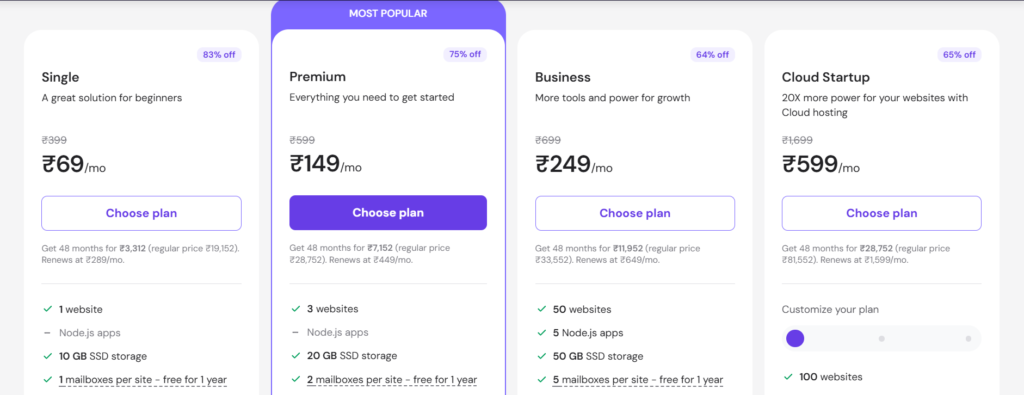
Hostinger
- Premium Shared Hosting
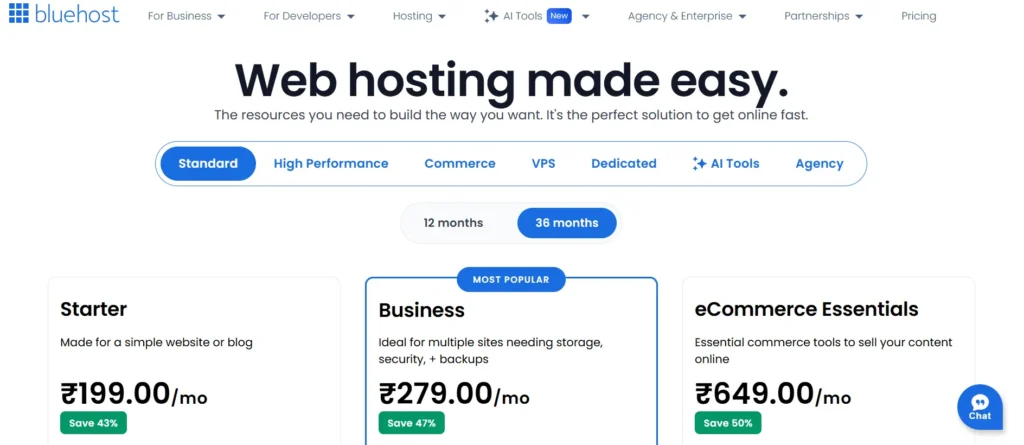
- Starting at approximately $2.69/month
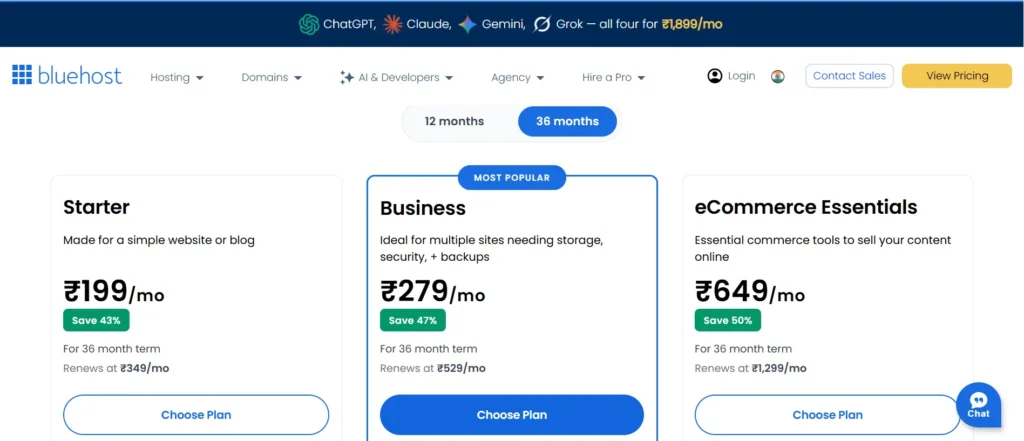
Bluehost
- Basic Shared Hosting
- Starting at approximately $2.95/month
Hostinger generally provides more storage and features at a slightly lower price.
If you decide to choose Hostinger, follow our step-by-step tutorial on How to Buy Hosting from Hostinger to get started quickly.
Ease of Use
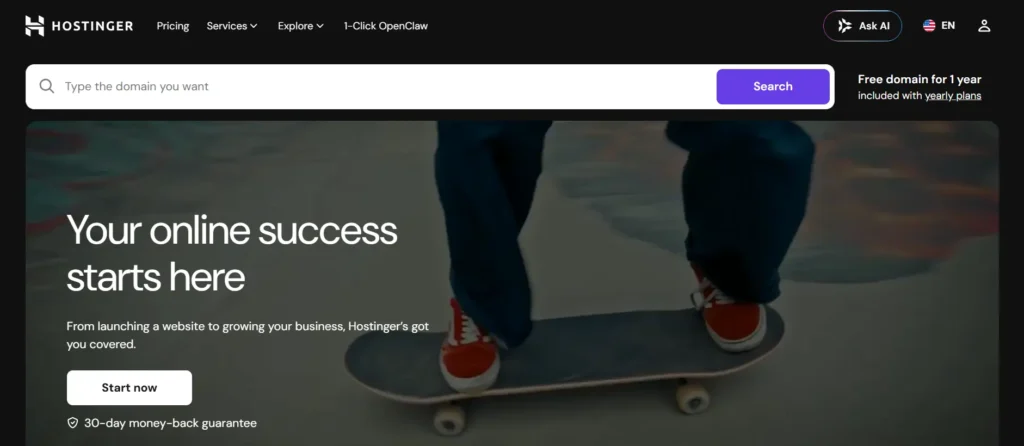
Hostinger uses its own custom control panel called hPanel.
Advantages:
- Clean interface
- Faster navigation
- Beginner-friendly design
Bluehost uses a customized cPanel environment.
Advantages:
✔ Familiar layout
✔ Better for users migrating from traditional hosts
Performance Comparison
Website speed influences SEO, user experience, and conversions.
Hostinger uses:
- LiteSpeed Web Server
- LiteSpeed Cache
- NVMe SSD storage
Bluehost utilizes:
- Apache servers
- SSD storage
- Cloudflare integration
In independent tests, Hostinger frequently achieves better loading times.
If you’re unsure whether shared hosting is sufficient for your website, check out our detailed Shared Hosting vs VPS Hosting comparison.
WordPress Experience
Both providers offer:
- One-click WordPress installation
- Automatic updates
- Free SSL certificates
Hostinger additionally includes:
- AI website builder
- WP-CLI access
- Staging tools (selected plans)
Bluehost offers:
- WonderSuite onboarding
- Marketplace integrations
Security Comparison
Hostinger
- Free SSL
- DDoS protection
- Malware scanner
- Weekly backups
Bluehost
- Free SSL
- SiteLock options
- Spam protection
- Automatic updates
Hostinger includes more security features in its entry-level plans.
Customer Support Comparison
Hostinger
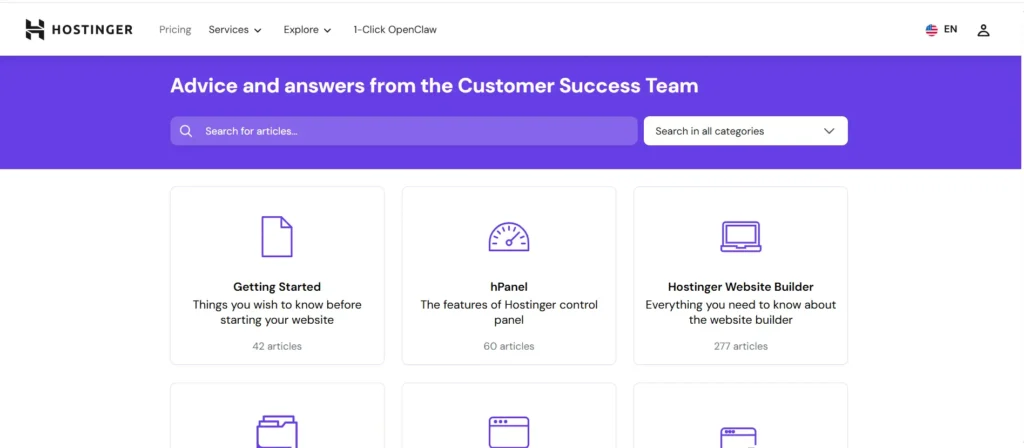
- 24/7 live chat
- Knowledge base
- Tutorials
Bluehost
- Phone support
- Live chat
- Extensive documentation
Pros and Cons
Hostinger
Pros
- Affordable pricing
- Faster servers
- LiteSpeed technology
- Beginner-friendly dashboard
Cons
✘ No phone support
Bluehost
Pros
- Phone support
- WordPress integration
- Familiar interface
Cons
✘ Higher renewal costs
✘ Limited SSD storage
Who Should Choose Hostinger?
Choose Hostinger if:
- You run an affiliate blog
- You are starting your first website
- You want the best value for money
- You prioritize website speed
Who Should Choose Bluehost?
Choose Bluehost if:
- You prefer phone support
- You are comfortable with cPanel
- You want a traditional hosting environment
Our Ultimate Recommendation: Which One to Choose?
If you want to start a budget-friendly and super-fast WordPress blog that is incredibly easy to manage, Hostinger is the absolute best choice for you. Its LiteSpeed servers deliver excellent performance and significantly improve your blog’s loading speed. However, if you have a flexible budget and prefer direct technical assistance over phone calls, Bluehost can be a great option, as it is officially recommended by WordPress.
Once you’ve finalized your hosting provider, the next crucial step is choosing a profitable and low-competition niche for your blog. Be sure to check out our Blog Niche Ideas to find the right niche for your website. Additionally, after setting up your hosting, follow our SEOquake Plugin Guide to uncover your competitors’ hidden keywords and monitor live on-page SEO scores for free, helping your blog gain a competitive edge and rank higher on Google from day one.
Final Verdict
After comparing pricing, performance, security, and support, this Hostinger vs Bluehost comparison shows that Hostinger is the better choice for most beginners, bloggers, and small businesses in 2026.
Its combination of affordability, performance, security, and ease of use makes it the better overall hosting provider.
Bluehost remains a solid choice, particularly for users who value phone support and long-standing WordPress integration.
FAQs
Ans. Yes, Hostinger generally offers better value, faster performance, and more storage.
Ans. Hostinger usually has lower introductory pricing.
Ans. Yes. Bluehost has historically been listed among WordPress-recommended hosting providers.
Ans. Hostinger often performs better due to LiteSpeed servers and NVMe storage.
Ans. No. Hostinger mainly provides 24/7 live chat support.
Ans. Yes. Hostinger offers migration tools and assistance.
Ans. Hostinger is significantly faster than Bluehost because it uses advanced LiteSpeed Web Servers (LSWS) and custom object caching. Bluehost, on the other hand, runs on traditional Apache/Nginx web servers which can feel slightly slower when concurrent traffic spikes on shared resources.
Ans: Yes, both Bluehost and Hostinger offer a 100% free domain name for the first year with their annual shared hosting plans. This means you don’t have to pay any additional charges for registering a domain during the first year of your hosting subscription.
Ans: For new bloggers, Hostinger is the best value-for-money hosting provider. Its entry-level plan is highly affordable and includes a free domain name, a free SSL certificate, and an easy-to-use hPanel, making it a perfect choice for beginners.